
One business. Connected work.
Keep customers, work and accounts together, with plans that include your team and room to grow.
AI that helps the work move forward.
Practical assistance inside your business tools, with review, permissions and clear usage limits.

Your day, in order
A daily brief prioritizes verified action items. Available permissions and sources shape what you see; ordinary priorities remain when model usage is unavailable.

From bills to books
Read bill images and PDFs into supplier bill records. Review the account and tax treatment; optional automatic booking posts only bills that pass the checks.

From notes to a working plan
Review suggested tasks before creating them. Switch between board, list, calendar, deadline timeline and workload views.
Real examples: turn 30-minute chores into 3-second reviews
Ask in plain language or drop a file. Kluvan drafts the exact accounting, project or customer action — and waits for your approval.
1. Snap a supplier bill or receipt -> Ready in Books
Drop a photo or PDF of a multi-line supplier invoice into the invoice reader
Extracts supplier, tax number, line items, quantities and VAT treatment, checks 3-way match against your purchase order, and prepares the balanced journal entry.
2. Ask your live ledger & cash runway in plain words
Ask: Who owes us past 30 days, and what is our cash runway if collections slip two weeks?
Answers immediately from your live Books and Collections ledger with exact overdue invoices, customer payment history and 13-week cash impact.
3. Turn meeting notes into a scoped project & quote
Paste rough client call notes into Projects or Contracts
Generates structured project phases, task checklists, assignee workload estimates and billing milestones ready for your review.
4. Front Desk answers customer chats inside your rules
A customer messages on WhatsApp asking about order status or booking availability
Front Desk checks live stock and schedule capacity, drafts or sends the reply in the customer language, and hands complex questions to your team.
Model Context Protocol (MCP) built in
Talk to your Kluvan apps straight from ChatGPT, Claude or Gemini
Your workspace includes a built-in remote MCP server. Connect your favorite AI assistant in seconds with a scoped read-only key — no middleware or coding required.
- One-URL connector for Claude.ai and ChatGPT, plus 1-click config for Claude Desktop, Cursor and Gemini
- Granular per-key scopes (Reports, Books, Stock, Customers, Projects, HR) and branch-level isolation
- Strictly read-only by design: external models can analyze and summarize your numbers, never alter or delete your ledger
Claude Desktop & Claude.ai
Paste your single connector URL in Claude.ai Settings -> Integrations, or copy the ready-made JSON block into Claude Desktop.
ChatGPT Connectors
Connect your workspace URL in ChatGPT to query live sales, receivables, stock levels and project margins in any chat.
Google Gemini & AI Studio
Point Gemini or Google AI tooling to your Streamable HTTP MCP endpoint with Bearer key authentication.
Cursor, Windsurf & Custom Agents
Standard JSON-RPC 2.0 MCP 2025-06-18 protocol with full audit logs, per-minute rate limits and instant key pause/revoke.
One workspace. Useful actions across your day.
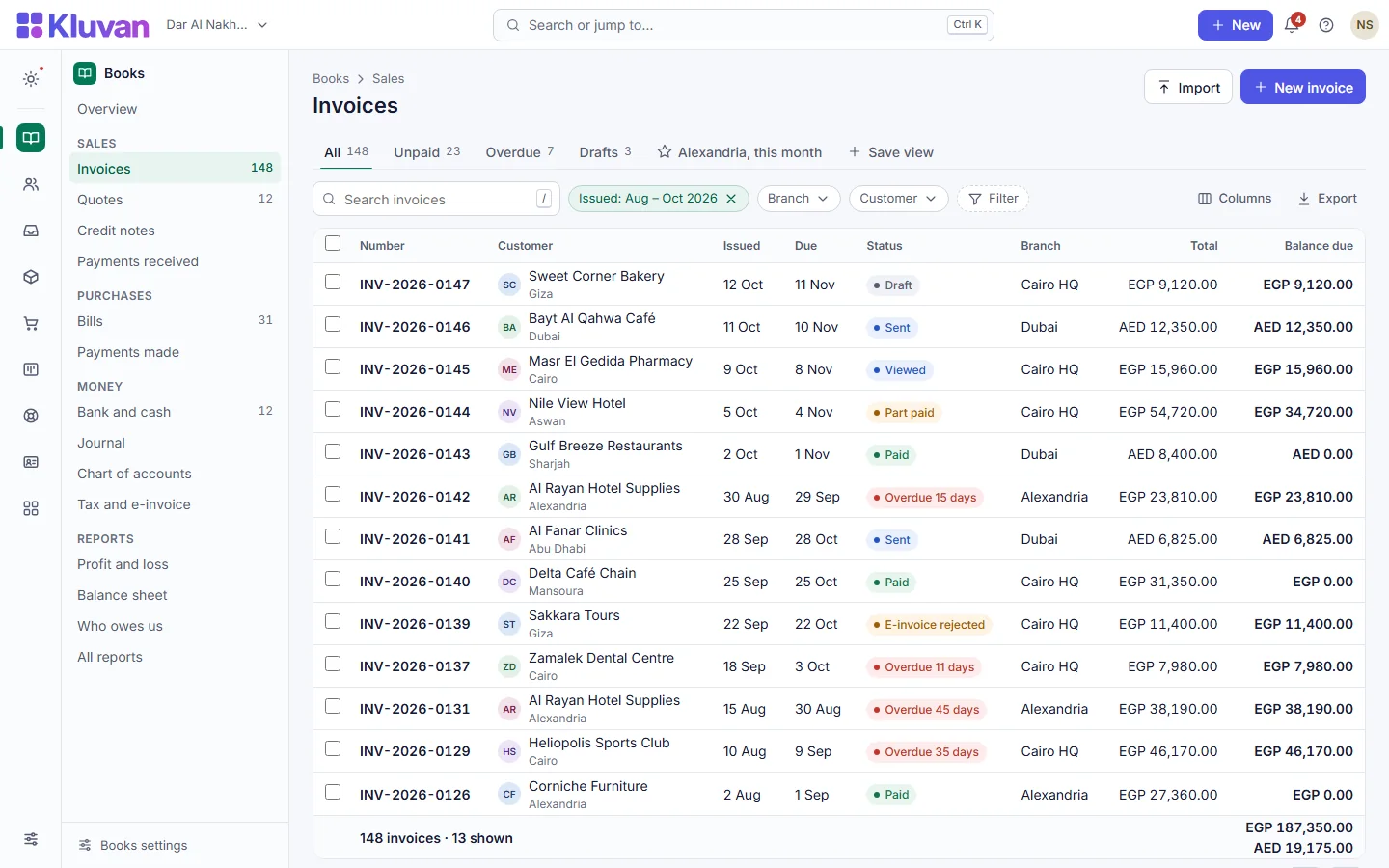
Prepare your daily brief, turn a bill into a reviewed accounting record, draft tasks from notes and follow customer work through to invoicing. Connected apps share relevant records, so your team spends less time entering the same information.
Credits, consent and control
AI stays off until the owner enables it and agrees to provider data sharing. The trial includes 100 AI credits for the whole trial; the free HR Starter and Books Starter plans include 150 credits once; paid plans include AI credits every billing period plus a monthly AI allowance that grows with your subscription. Going past the allowance is off by default and needs a monthly cap you set, and nothing is recharged without your consent. Owners can opt out of model features or use their own supported Anthropic or OpenAI API key, which uses no Kluvan credits; the provider bills you directly.
Privacy policyBuilt for your team
- One account for the apps a small or mid-sized business runs on: customers, quotes, jobs, invoices, payments, stock and people.
- Records that link to each other, so a quote, the work and the invoice stay together.
- Priced per organisation with users included, and low-cost seats for field staff and employees.
- Arabic and South Asian languages from the start, and support by chat.

One account. Apps you choose. One bill.
- One sign-in for every app, in the language each person prefers
- Apps are sold on their own: buy only what you use, add more later
- Low-cost seats for field staff and for employees who only need self-service
- Your accountant gets free access; your customers' portal users are free

Built for teams that work in more than one language
Each person chooses their own interface language. Documents can go out in English or Arabic. Prices, VAT and holidays follow your country's pack.
- English, Arabic, Urdu, Hindi, Bengali, Malayalam, French, Spanish, Portuguese, Turkish and Indonesian
- UAE and Egypt country rules today; more countries are coming
- Foreign-currency documents and revaluation

At a glance
- How you pay
- Per organisation, per month, billed annually (bundles from USD 49approx.)
- Who is included
- Full users included in every plan
- Field staff and employees
- Field and self-service seats at a fraction of a full user
- Arabic and Urdu interface
- Yes, both, right to left
- Getting started
- Online set-up and migration packages
- UAE e-invoicing
- Coming soon, through an accredited provider
How Kluvan compares to Zoho, Odoo and regional accounting tools
Why growing businesses in the UAE, Egypt and beyond choose one connected workspace over stitched-together app silos.
Kluvan vs. Zoho One
Zoho offers 50+ separate apps built over two decades, each with its own database and per-employee licence. Kluvan gives you one shared database across 28 live apps, built-in field and self-service seats, 40 read-only MCP tools for Claude, ChatGPT and Gemini, plus UAE/Egypt VAT, payroll, Ejari tenancy, and IFRS 15/16 rules out of the box.
Kluvan vs. Odoo & Legacy ERPs
Odoo and legacy ERPs often require costly implementation partners, custom hosting and per-module maintenance. Kluvan works online in minutes with multi-entity Group Consolidation, Manufacturing MRP, 13-week cash stress testing, Power BI feeds, Forever-Free HR and Books starter plans, and zero server administration.
Kluvan vs. standalone accounting apps
Standalone accounting tools stop at invoices and journals, forcing you to buy separate software for CRM, field jobs, inventory, HR and customer portals. Kluvan connects the quote, the field job, the warehouse batch, the payslip and the ledger entry in one record.
Interactive Savings Calculator: Kluvan One vs. Zoho One, Odoo & Fragmented SaaS
Slide your office team, field crew, and self-service headcount to see how much you save each year when you stop paying full enterprise seat prices for field and ESS staff.
Try every app free for 14 days
Set up your company, invite your team and run a real week in Kluvan. No card needed.